Addon for Godot
NPC TalkKit
Named NPC conversations for Godot 4, played the way AnimationPlayer plays animations.
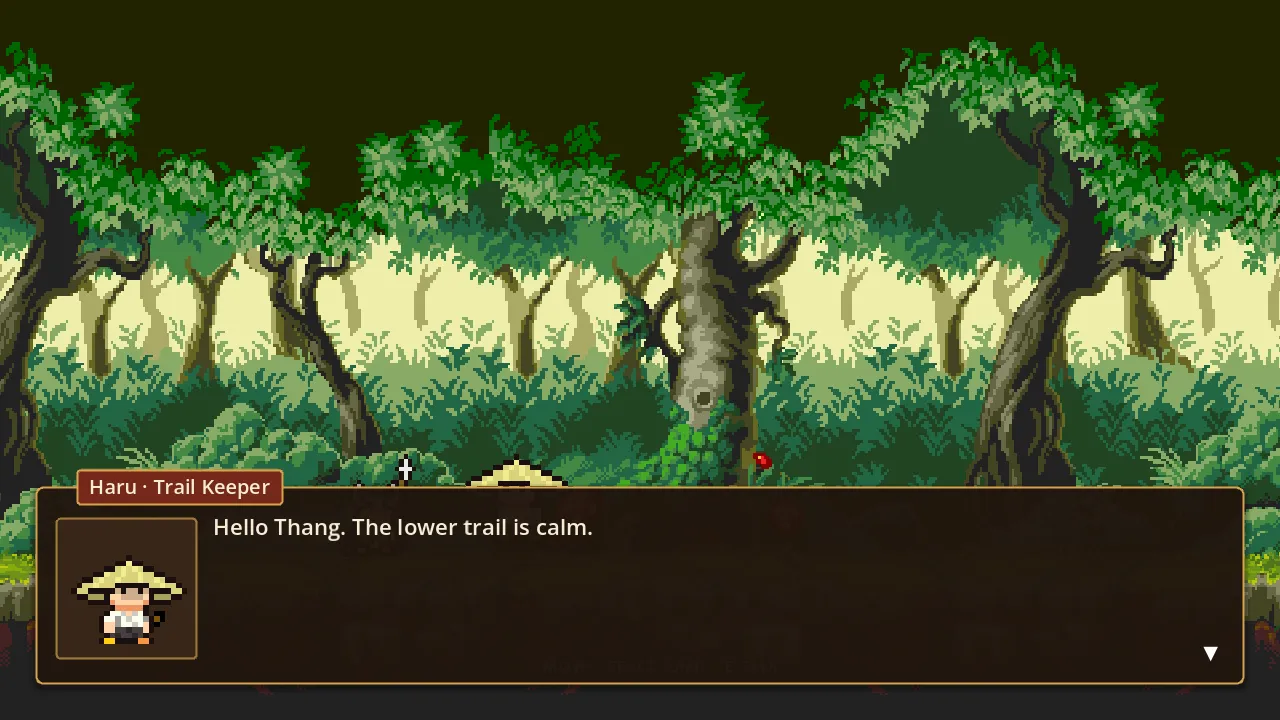
What it does
One node on the NPC you already have
Add an NPCTalkKit node, write the lines in the TalkKit workspace and call play(). Your player controller, quests and saves keep working as before.
Your game keeps the logic
TalkKit plays and presents conversations. Quests, flags, inventory and branching stay in your GDScript; events hand control back to it.
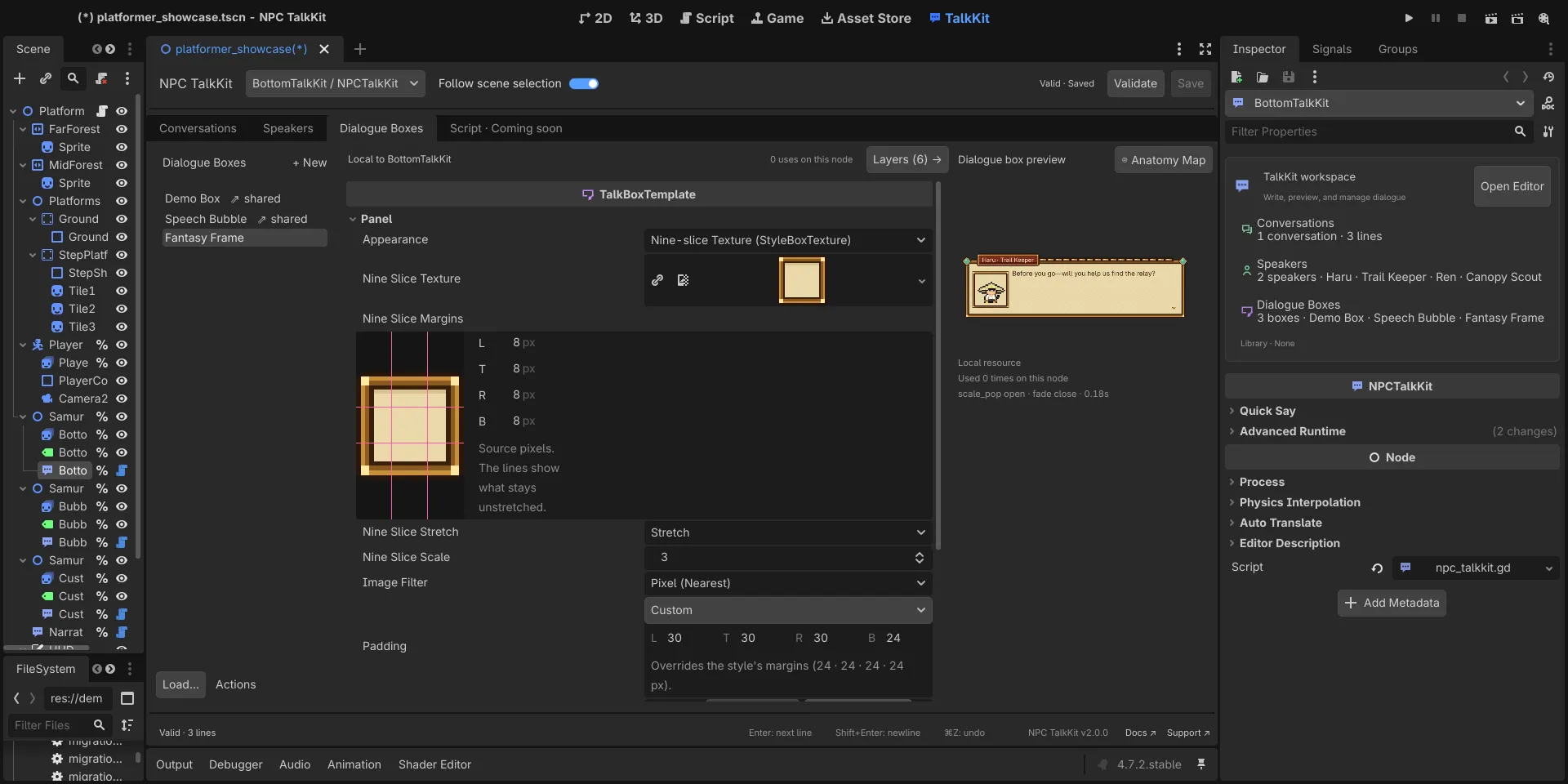
Boxes you design in the editor
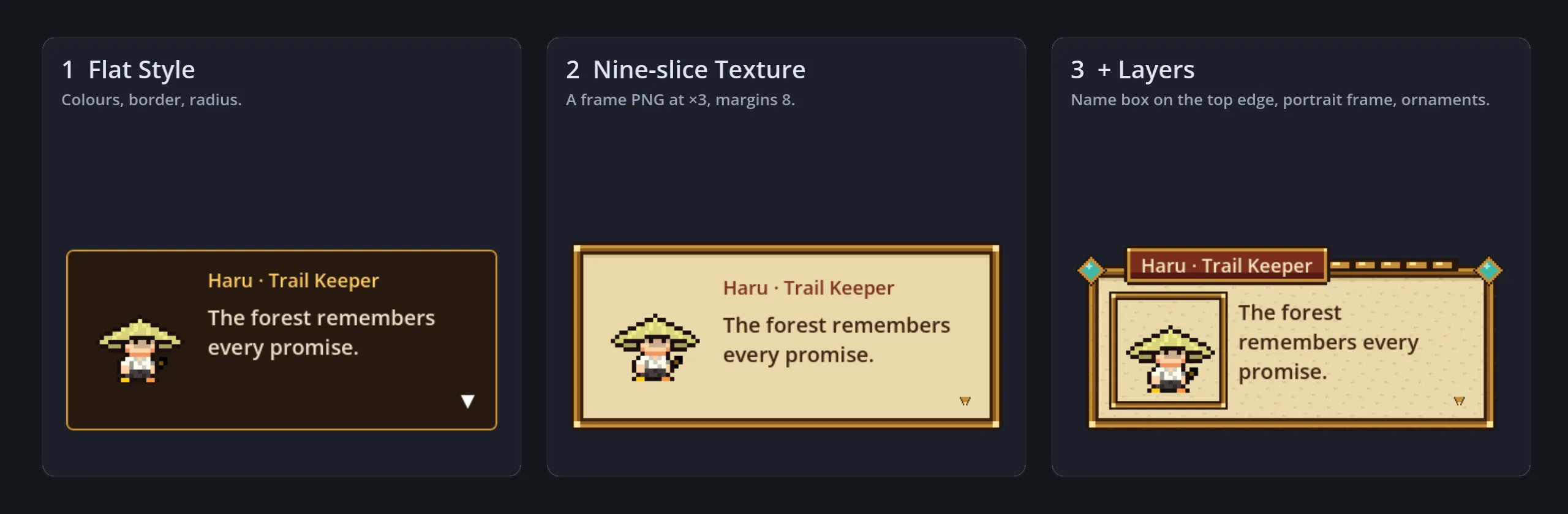
Start from a panel, a speech bubble or a terminal. Give the panel a flat style, a nine-slice frame or any StyleBox, and add layers for a name box, a portrait frame or ornaments.
Placed on screen or on a character
Pin a box to the screen or have it follow a 2D or 3D node. It always fits the screen, and a speech bubble's tail points at whoever is talking.
See which setting draws what
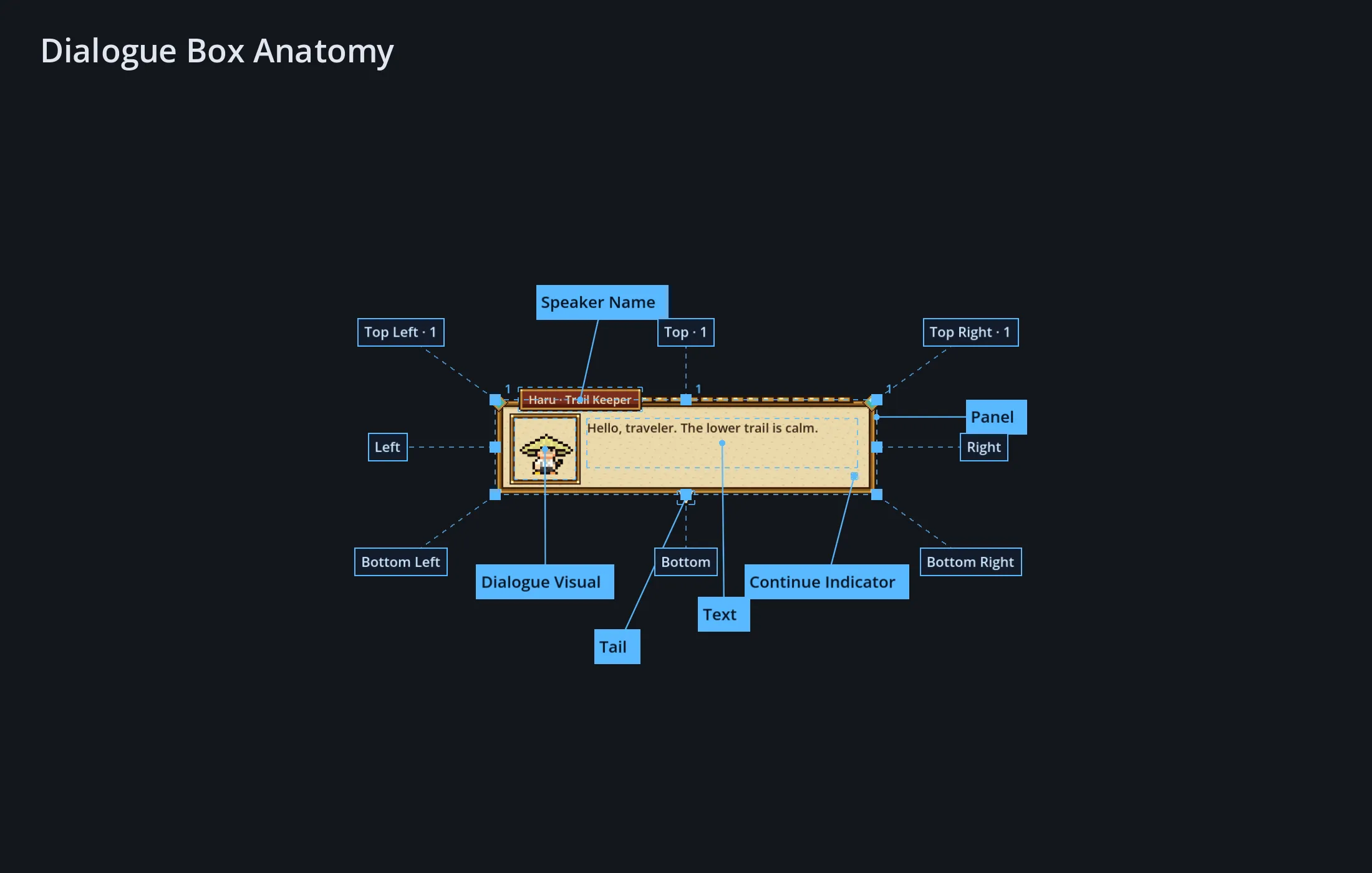
The Anatomy Map marks every part of the box on a live preview and opens the settings behind it.
Nothing hidden in the box
No telemetry, no network requests and no AI service in the shipped addon.
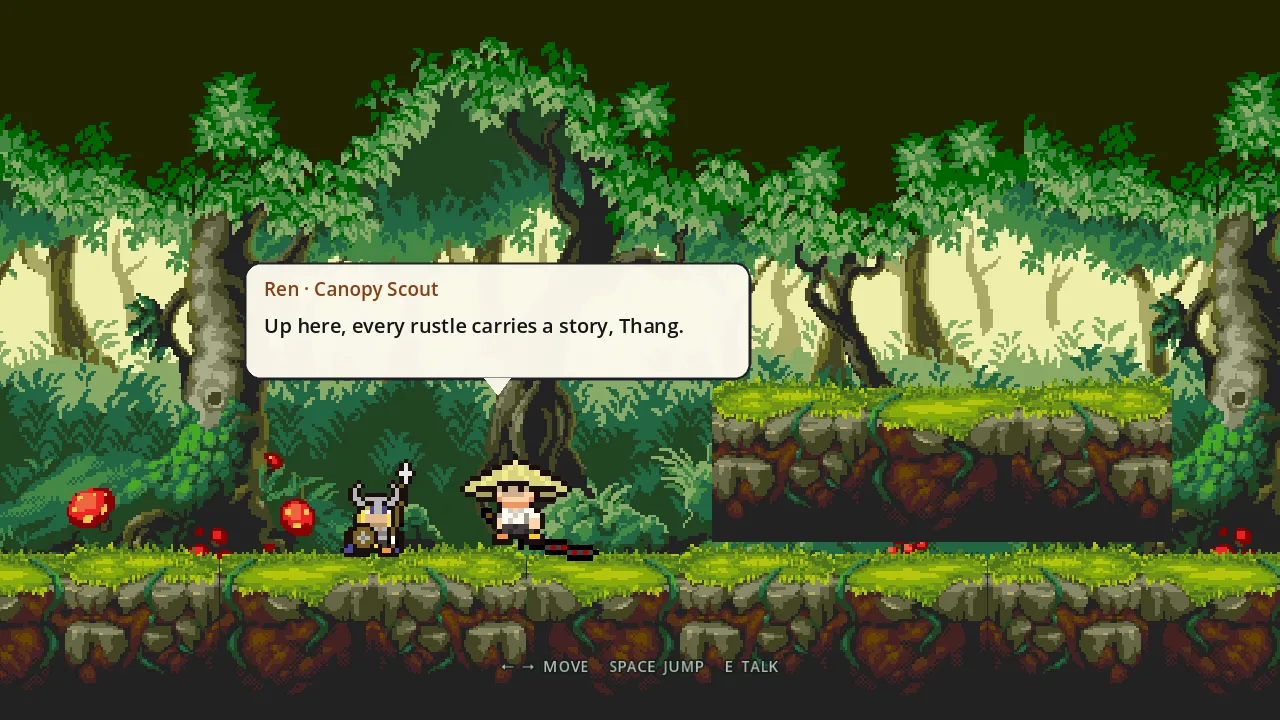
NPC TalkKit is a dialogue kit for Godot 4 that stays out of your way. It plays named conversations and presents them in a dialogue box; everything your game already owns stays where it is.
$NPCTalkKit.play(&"greeting", {"player_name": "Alex"})Or say something with nothing authored at all:
$NPCTalkKit.say("Stop right there!")The full guide, the API reference and step-by-step recipes are in the documentation.